I built FaceSculpt because appearance feedback needed a better loop.
FaceSculpt turns weekly facial scans into clinical scoring and a personalized 12-week protocol. The first version proved the concept but converted below 2%. After redesigning onboarding around human psychology, clarity, and commitment, conversion moved to 10%.
The app had to analyze a face without making the user feel reduced to a score.
The design problem was not simply showing an AI result. It was building a loop where a sensitive scan becomes a credible baseline, the output becomes a clear protocol, and the user returns weekly because the product feels useful instead of judgmental.
People want objective feedback, but appearance data can feel personal fast.
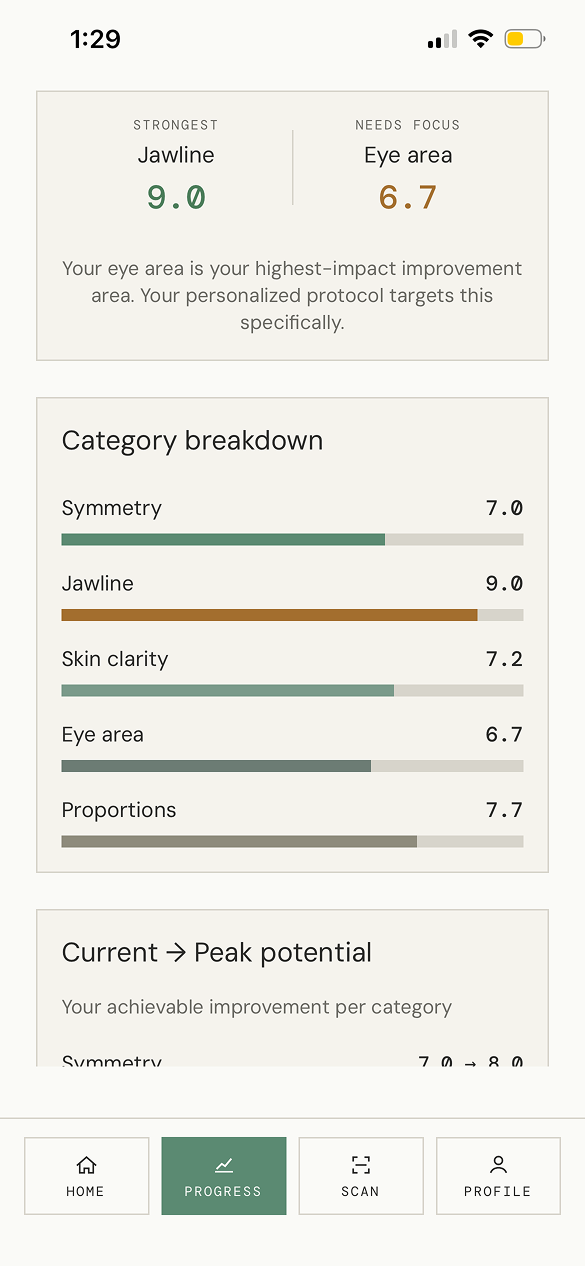
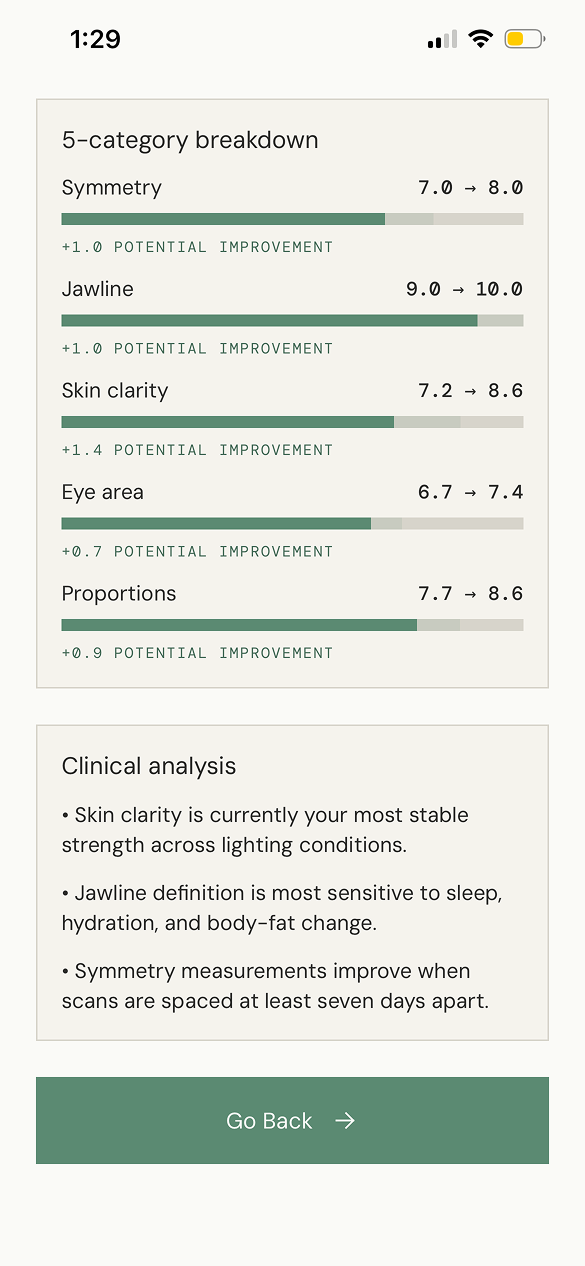
I treated scoring as a navigation aid, not a verdict. The UI separates current state, peak potential, category focus, and next action so the user always has somewhere constructive to go.
The AI had to feel precise without pretending the answer was magic.
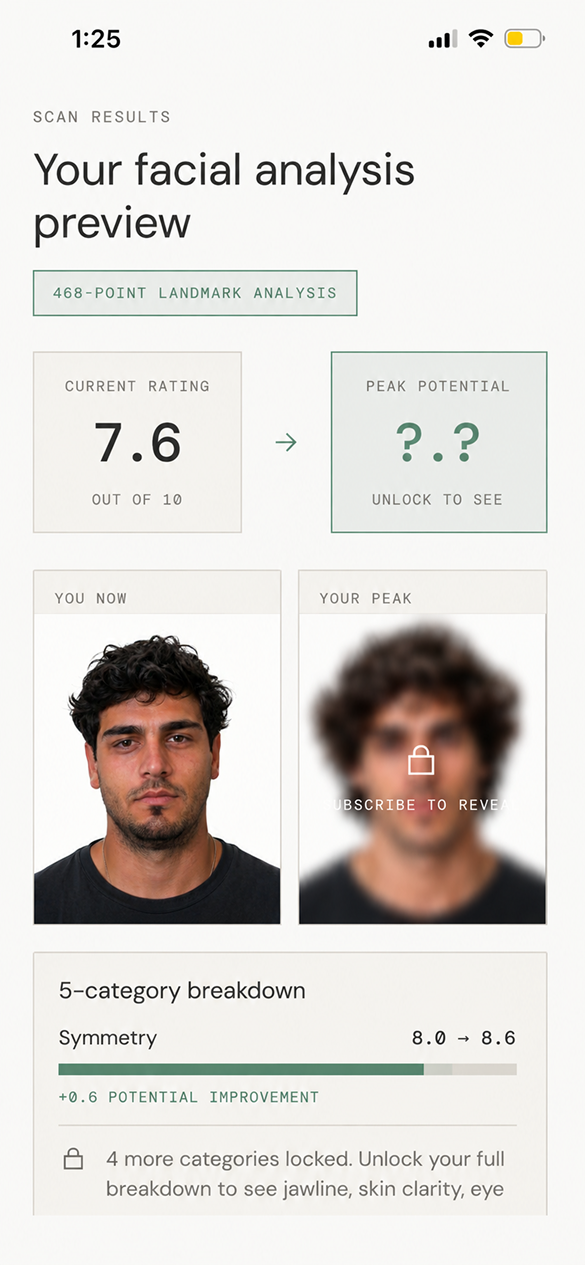
The app exposes the mechanics: 3 scan angles, 468 data points, category breakdowns, and visible confidence through repeat weekly cadence instead of a one-time dramatic reveal.
Most appearance apps sell fantasy. I wanted to build a product around signal.
People already compare, guess, and obsess over tiny appearance changes. FaceSculpt was my attempt to turn that behavior into a calmer system: scan consistently, understand what changed, separate noise from signal, then follow a protocol that gives the user agency.
The problem was emotionally real.
Users wanted objective feedback, but the category is full of vague glow-up advice. The opportunity was to make progress feel measured, not mystical.
AI created a new product moment.
The technical challenge was not just detecting landmarks. It was translating AI output into a believable, useful, and repeatable user experience.
Solo building made the loop sharper.
Owning design and React Native implementation let me move quickly from positioning to scan flow, report design, protocol, and App Store launch.
The second iteration changed the psychology of onboarding.
The first onboarding explained the product, but it asked for trust too early. The second iteration used psychology more deliberately: curiosity before commitment, progress before payment, specificity before scoring, and a clearer promise of what the user would get.
Conversion was below 2% because the product felt too abrupt.
The early flow moved quickly from value proposition to analysis and commitment. Users did not yet understand why the scan mattered, what the AI would evaluate, or how the result would become an action plan.
Conversion reached 10% after the flow built trust step by step.
The redesign introduced a stronger story, selective self-assessment, clear scan mechanics, delayed reveal, and protocol framing. The user moved from curiosity to personal relevance before seeing the offer.
A design process built around trust, not decoration.
I used a design thinking process to move from a sensitive user problem to a shippable mobile product: understand the emotional context, define the trust gap, prototype the scanning loop, and ship the full product myself in React Native.
Map the moment of vulnerability.
The scan flow was designed around plain instructions, privacy-forward language, and avoiding performative beauty language.
Turn analysis into agency.
The core question became: how do we show facial data in a way that creates a next step instead of insecurity?
Use psychology ethically.
I used curiosity, self-relevance, delayed reveal, and commitment framing to help users understand the product before the paywall.
Design the scan loop in real UI.
The experience moved from story to assessment, assessment to scan, scan to report, and report to a 12-week protocol.
Ship the product solo.
I implemented the interface and product flow in React Native, then shipped the app live to the App Store.
The UI language is clinical, calm, and deliberately restrained.
FaceSculpt uses an off-white canvas, thin measurement borders, muted green actions, mono labels, and large editorial type. The system makes the product feel precise while still giving the user room to breathe. That restraint is part of the trust strategy.
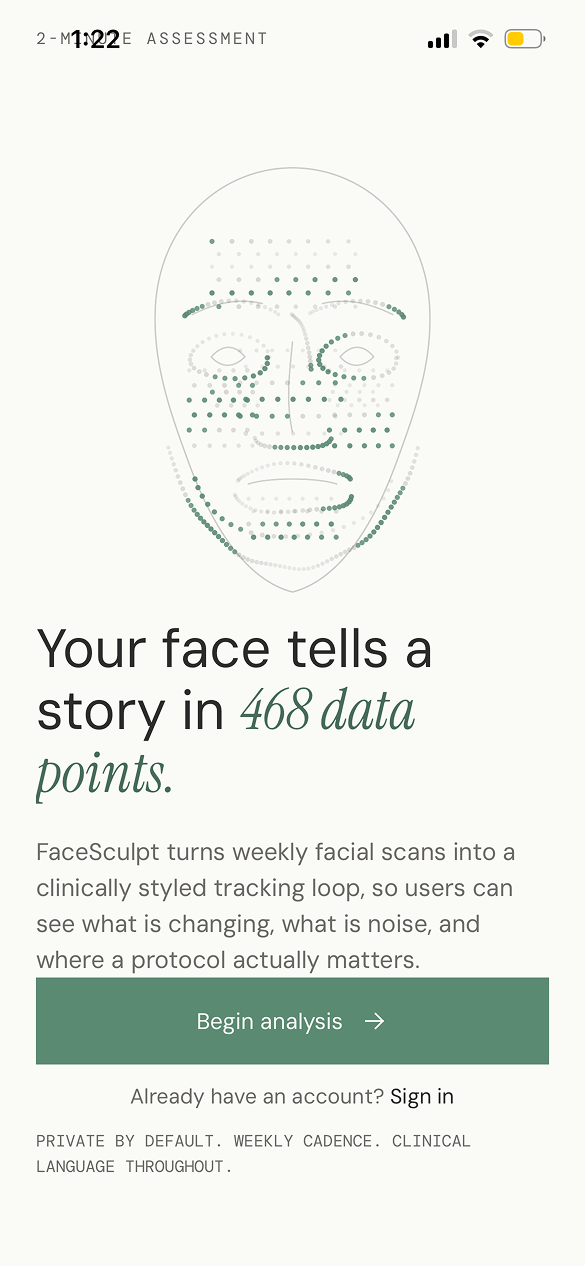
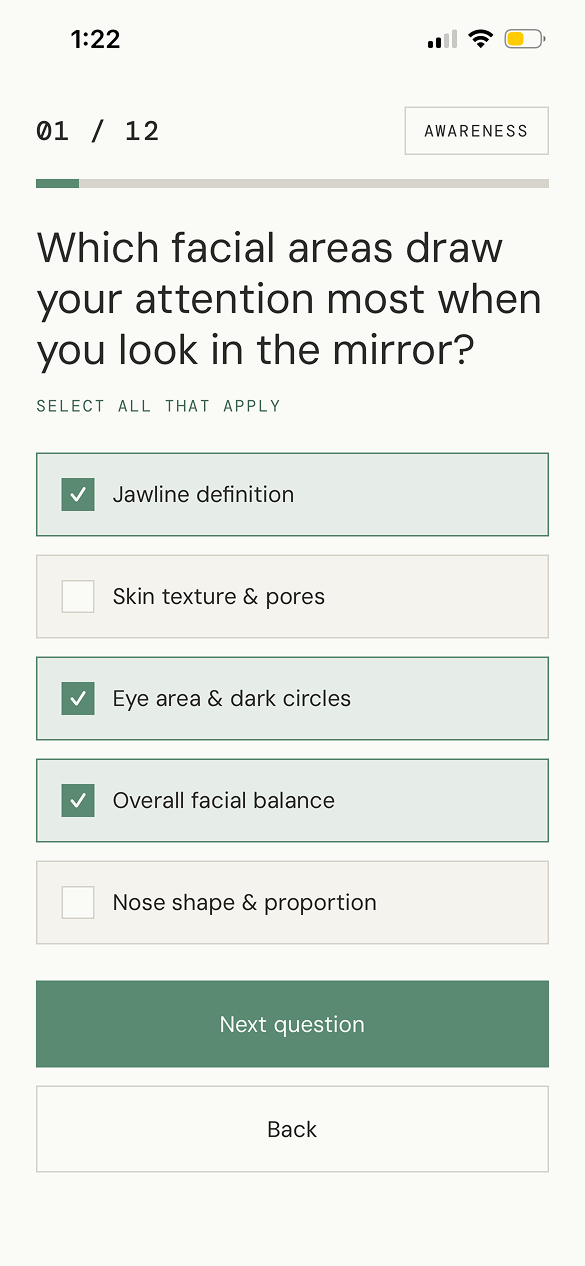
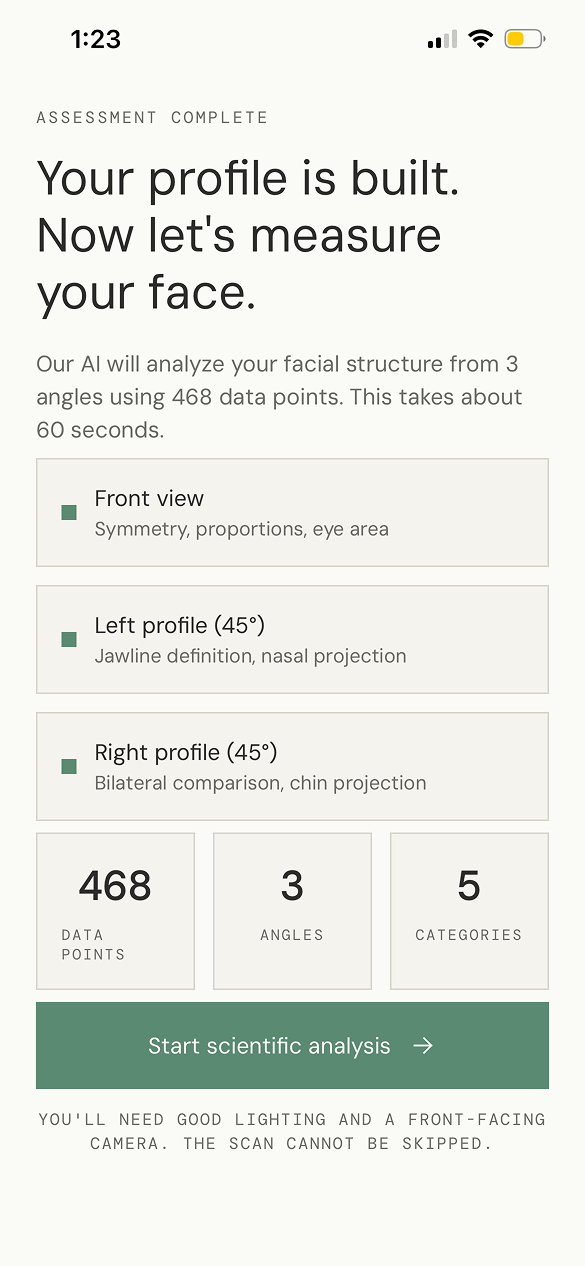
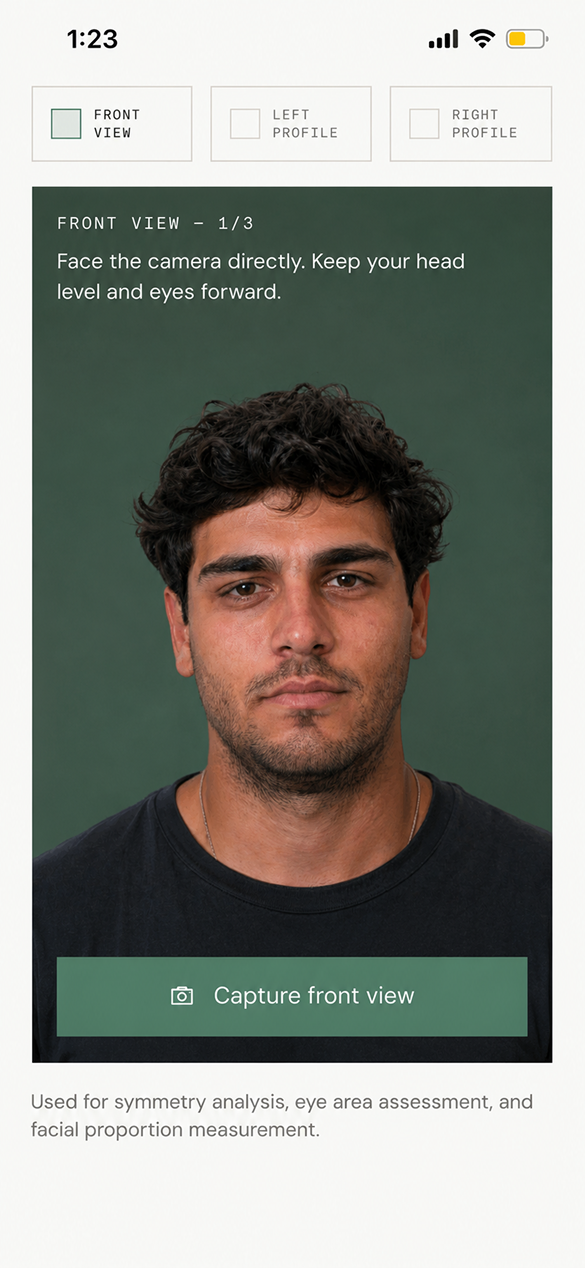
The interesting work was translating AI output into a believable product moment.
Facial analysis can easily become either too vague or too harsh. I designed the AI output as a sequence: capture the baseline, preview only enough to build trust, explain the categories, then unlock a protocol that turns the analysis into behavior.
Front, left profile, and right profile instructions reduce bad inputs and help the AI output feel grounded.
Current and potential states are framed as direction, with category improvement ranges explaining the why.
The product exposes landmark analysis, categories, and weekly cadence so the user can understand the system.
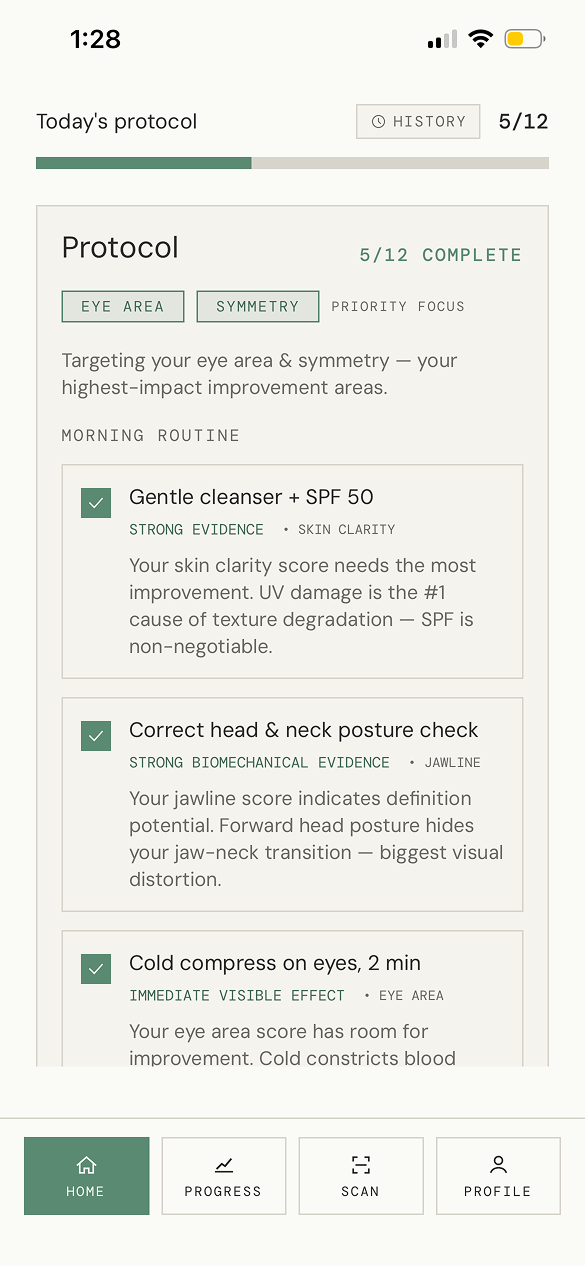
The report is not the endpoint. The app turns focus areas into daily steps users can actually follow.
From facial scan to weekly operating system.
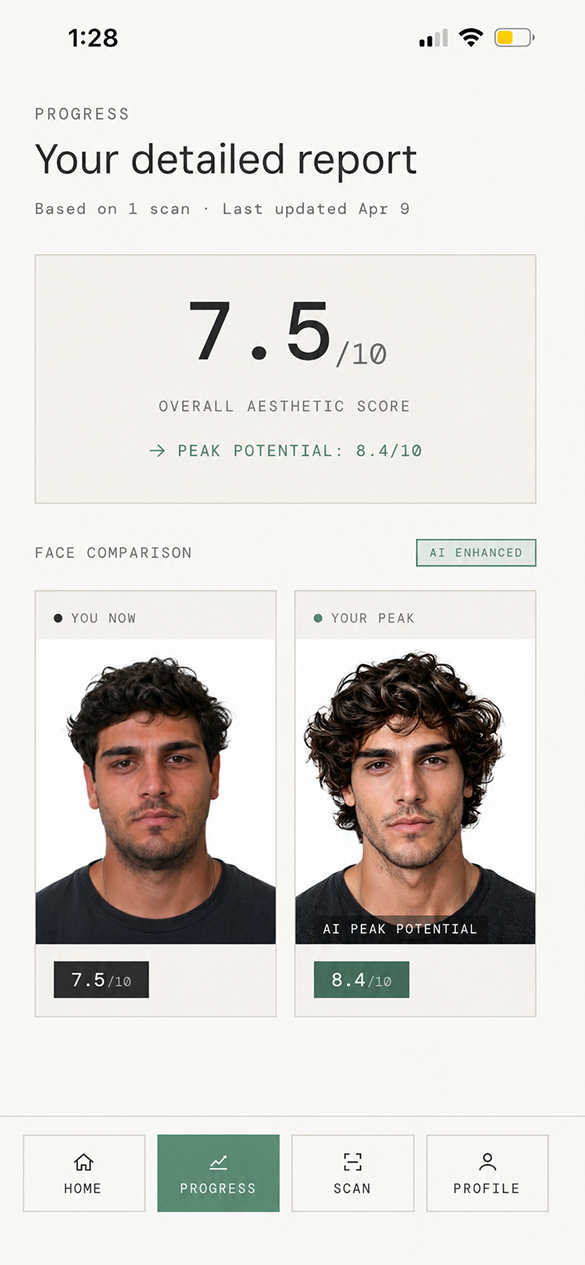
The report gives users a structured readout, while the protocol keeps the experience from stopping at insight. The key product decision was to make the 12-week plan the center of progress, not the score itself.
What changed?
Weekly scans create a comparison loop: current face, peak potential, category scoring, and plain-language clinical notes. The app keeps the analysis readable instead of hiding everything behind one composite score.
Where should I focus?
The protocol chooses priority areas like eye area and symmetry, then turns those categories into daily behavior: skincare, posture, cold compresses, and routines that can be repeated.
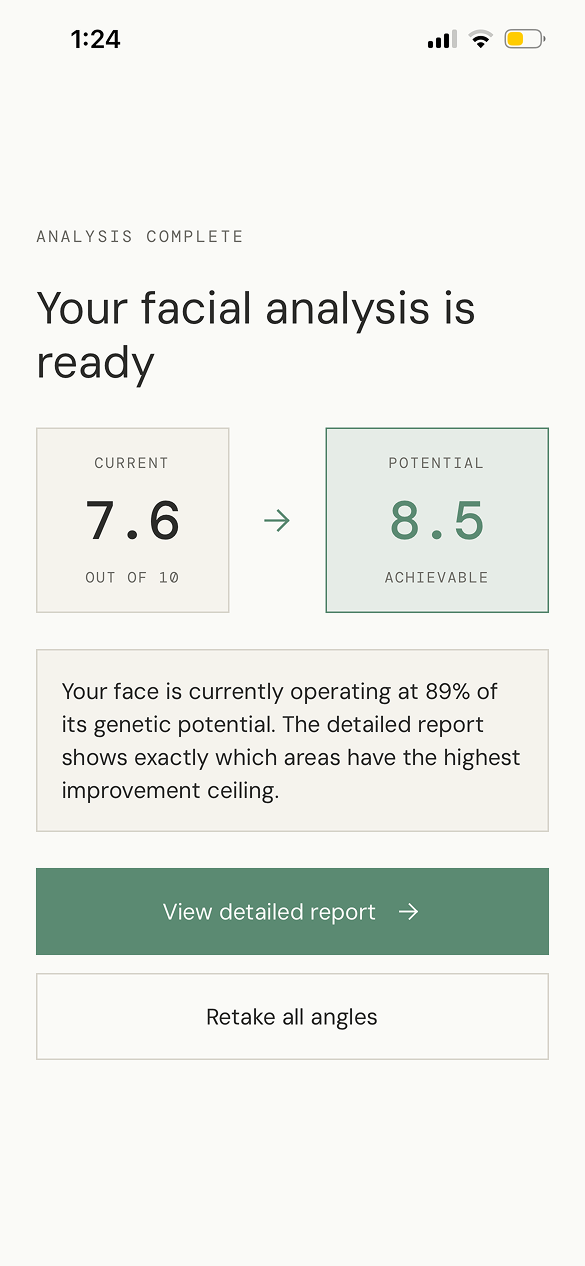
Conversion improved when the product earned belief before asking for commitment.
Building FaceSculpt solo made the design constraints sharper: every UI choice had to survive implementation, App Store readiness, and the emotional reality of users scanning their own face.
AI products need visible reasoning.
Users do not need every model detail, but they need enough structure to trust why a recommendation exists.
Human psychology beats harder selling.
The stronger conversion came from clearer motivation, progressive trust, and personal relevance, not from louder pricing or more aggressive urgency.
Building it myself improved the design.
React Native implementation forced clearer components, tighter states, and a more realistic scan-to-report flow.
Live, shipped, and proven through iteration.
FaceSculpt is a working App Store product, designed and built end-to-end as a solo React Native project, with onboarding conversion improved from under 2% to 10% after the second iteration.
Download from App Store