The business moved fast because the scope was disciplined.
The launch proved the business case quickly: active users moved from web to mobile, time tracking became the most-used feature, and field support burden dropped sharply. The key was not adding everything. It was choosing the field workflows that mattered most.
Near-total adoption in three months.
Prioritize on-site utility over desktop parity.
I did not try to shrink the desktop product into a phone. I defined a mobile-first scope around the workflows with the most operational leverage: scheduled work, time tracking, job start/stop, notes, project/service details, and inventory picking with barcode scans.
The result: mobile became the default surface for active field users instead of an accessory to the web app.
My job was to turn a desktop product into a field product.
This required product judgment, not just UI production. I owned the mobile scope, translated stakeholder needs into release priorities, and worked directly with engineering to keep the first release focused enough to ship.
Define the smallest valuable mobile product
I selected workflows that were painful on web and naturally mobile: schedules, job actions, time, notes, and inventory picking.
Prioritize features with business leverage
Time tracking and field status actions were prioritized because they affected daily usage, payroll accuracy, and field accountability.
Partner directly with engineering
I stayed close to implementation details, edge cases, empty states, scanning behavior, and handoff quality so the released app matched the field workflow.
The product centered the day around work that happens in the field.
For integrators, the job site is the real workspace. The mobile app had to make repeated tasks faster, calmer, and harder to lose track of, without asking field users to understand the full desktop product.
Start and manage field work
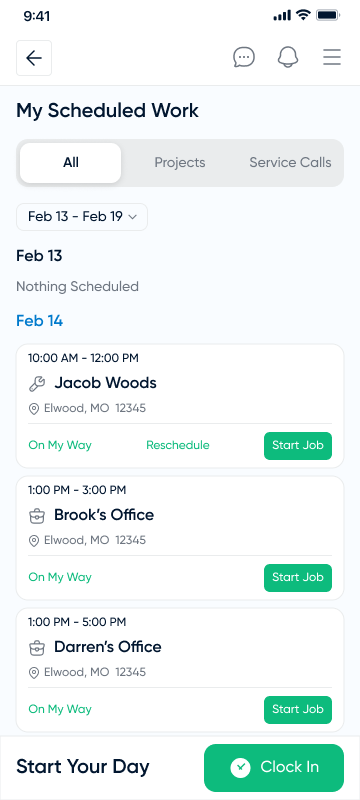
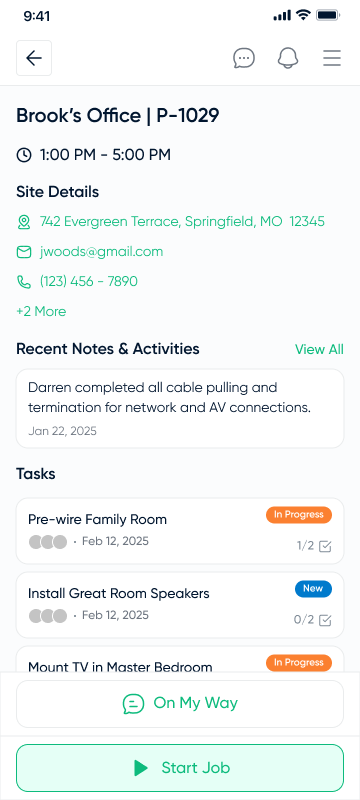
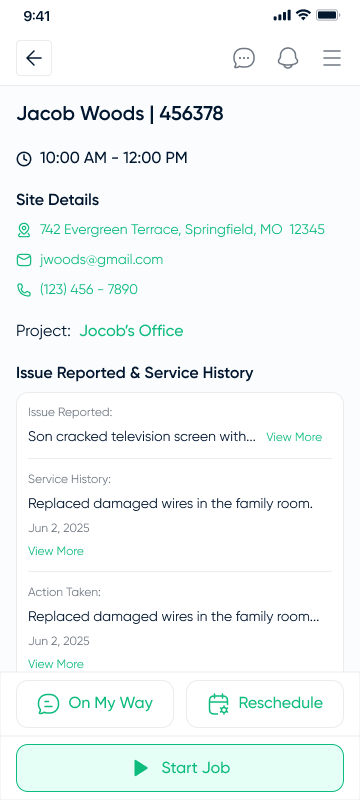
Today's work, scheduled jobs, project and service details, status actions, rescheduling, and job start flows were designed for fast field context.
Log time where work happens
Clock-in, clock-out, add time entries, and browse time records from the phone instead of reconstructing work later at a desk.
Pick and scan inventory
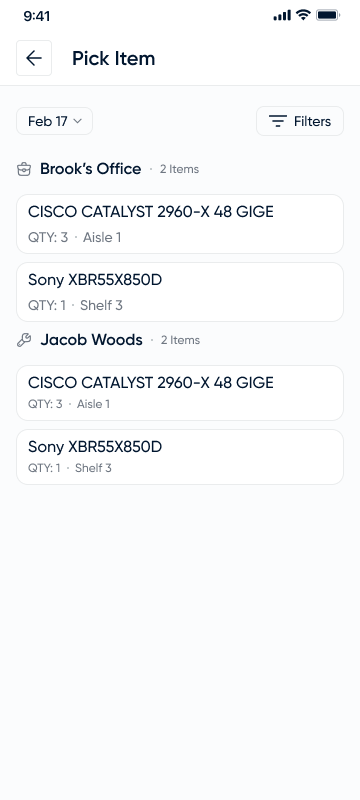
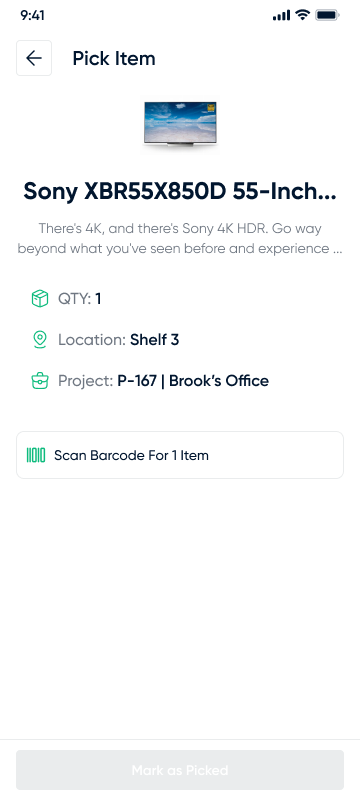
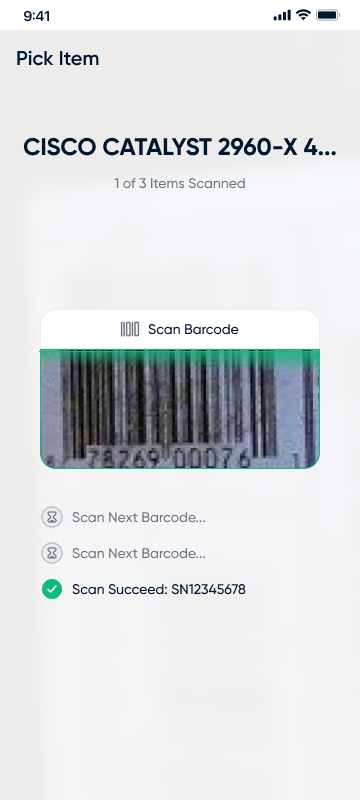
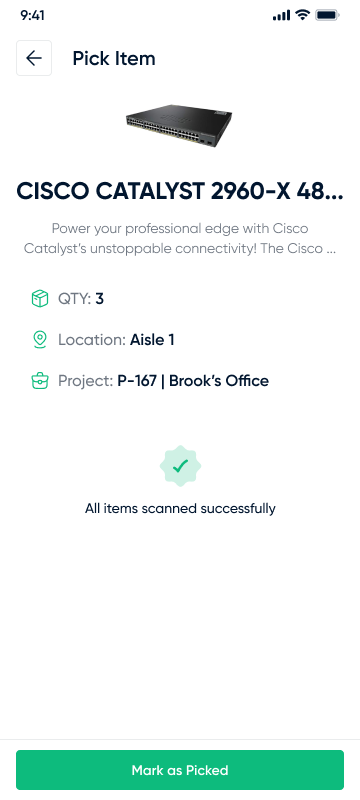
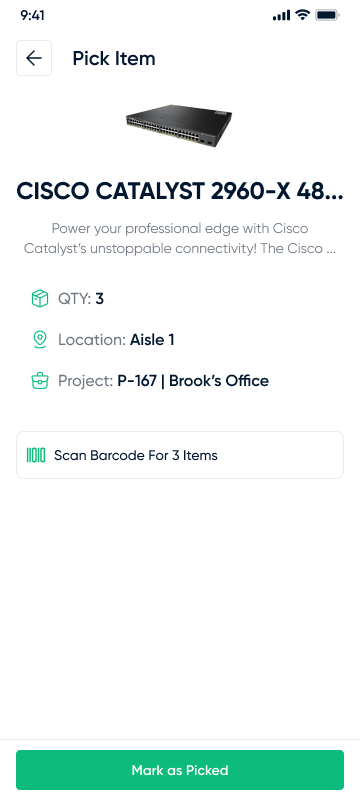
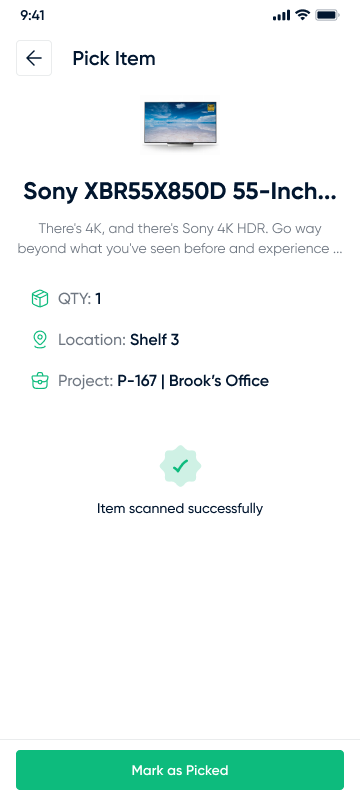
Barcode scanning, scan-required states, quantities, location, project context, and item completion loops made picking reliable on-site.
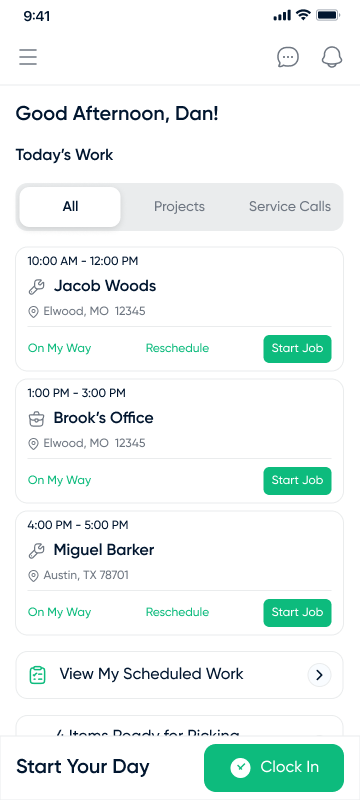
Field dashboard and schedule.
Clear cards, visible status actions, and segmented filtering keep high-frequency work easy to scan under real job-site conditions. The design intentionally avoids dense desktop-style tables.
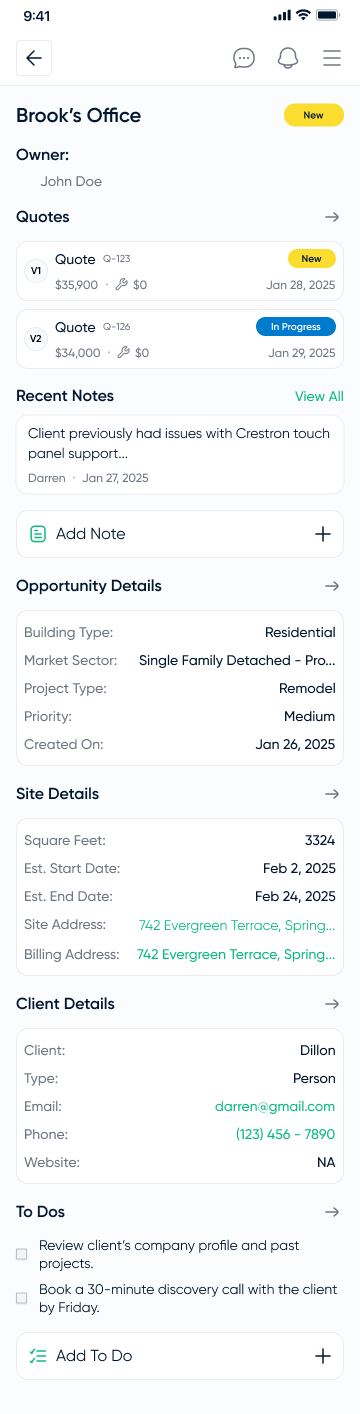
Native, quiet, and operational.
The mobile UI uses a light grey app canvas, white rounded cards, navy headings, muted secondary metadata, and green only for useful actions. It avoids visual drama because field users need confidence, speed, and predictable patterns while moving between job sites.
Elwood, MO 12345Start Job
1 of 3 Items ScannedDone
Most-used feature, strongest validation.
Time tracking became the most-used feature after launch, validating the central product thesis: field users needed to log work in the moment, on-site, not back at the office. That usage pattern justified the mobile investment.
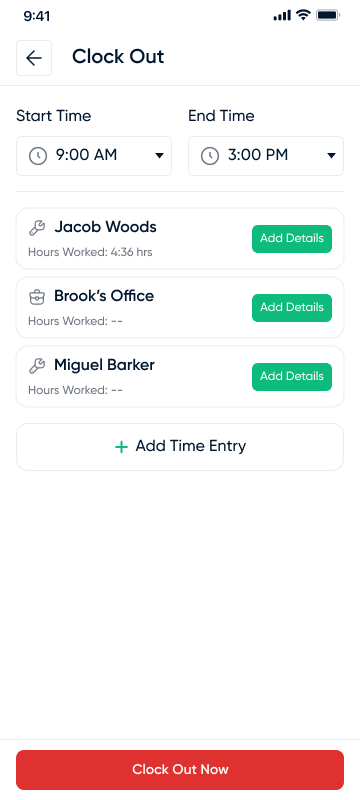
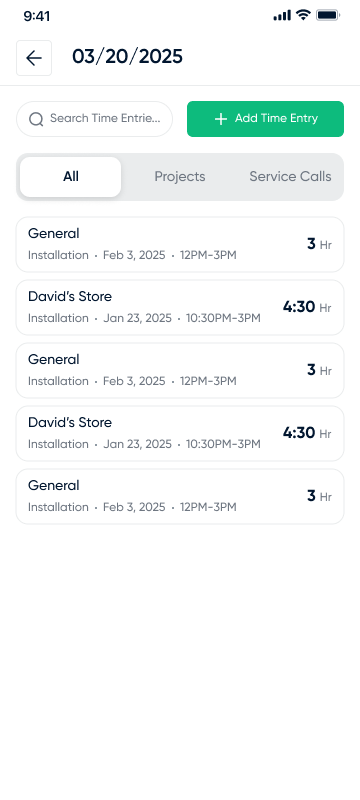
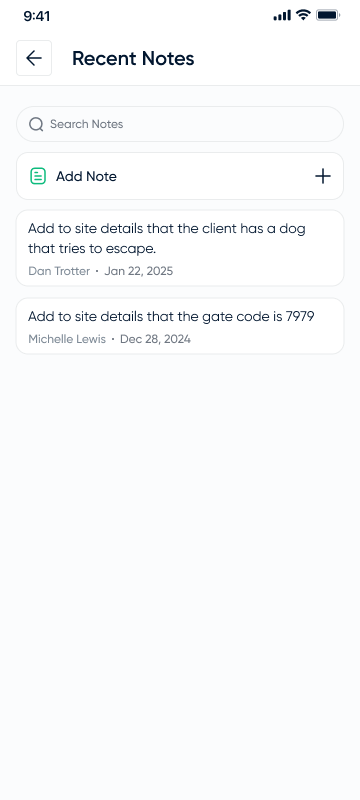
Barcode scanning made picking field-ready.
Picking was designed around clear item context, required scan states, visible quantity and location, and strong confirmation when the item workflow was complete. The goal was to reduce ambiguity before it became a support ticket.
Design decisions were business decisions.
I worked closely with stakeholders and developers to prioritize what would materially change field behavior. The roadmap favored high-frequency operational moments over low-value desktop parity.
Less support, more confidence in the field.
Support tickets from field users dropped by 90% following launch. Beyond the numbers, field users and managers reported meaningful time savings, and early integrator feedback was strongly positive.
D-Tools Mobile moved a 20-year desktop product into the field.
A first native iOS and Android app for integrators, owned from zero to production: scope, design, prioritization, engineering partnership, and shipped field workflows.